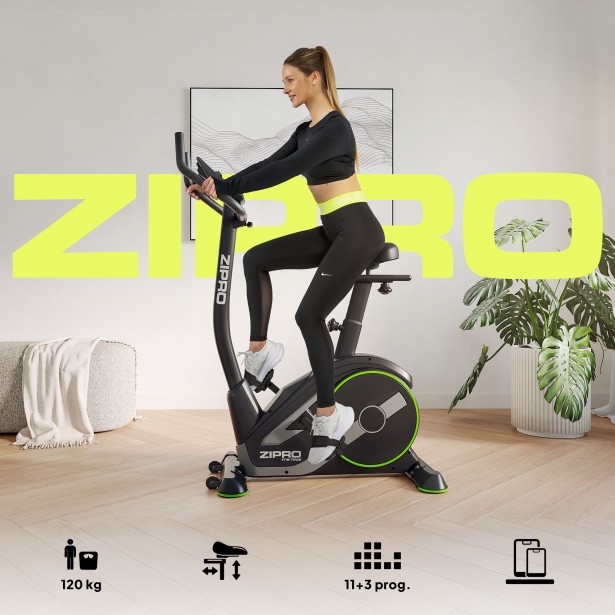
The ZIPRO Rave is an indoor cycling bike that can become a flexible connected-training platform with QZ. Once connected through its FTMS Bike path, QZ can bridge the Rave to virtual training, manual resistance control, structured workouts and ERG-style power sessions.

Table of Contents
Connect the ZIPRO Rave to QZ
The Rave advertises a Bluetooth device whose name starts with RAVE. QZ identifies that name and applies the ZIPRO Rave compatibility path automatically.
- Turn on the ZIPRO Rave and close other cycling apps that may already be connected.
- Open QZ and enable the FTMS Bike connection path.
- Start Bluetooth discovery and select the device whose name begins with RAVE.
- Wait for QZ to complete the connection and confirm that live bike data is updating.
- Keep Zwift or another training application closed until QZ owns the physical Bluetooth connection.
- If the training app runs on another device, expose QZ as the virtual bike and connect the app to QZ.
The exact Bluetooth suffix can vary between units. Select the RAVE... entry belonging to your bike rather than relying on a fixed address.
What QZ adds to the ZIPRO Rave
The Rave compatibility path supports a maximum resistance level of 32 and uses a measured resistance-to-simulation calibration. QZ can use that path for several connected-training modes:
- manual resistance changes from QZ;
- Zwift indoor-bike simulation commands;
- power-target workouts and ERG-style sessions;
- continuous power-to-resistance adjustment during a workout;
- virtual-bike output for compatible training applications;
- live speed, cadence, power and resistance data supplied by the FTMS connection.
The Rave does not need a separate native ERG control path for QZ’s software ERG workflow. QZ converts the requested power target into a learned resistance request and then maps that request to the Rave’s simulation response.
Rave resistance calibration
The Rave-specific calibration maps simulation grade from 0% to 15% to the bike’s measured resistance range from level 1 to level 32. The measured points are:
| Simulation grade | Rave resistance |
|---|---|
| 0% | 1 |
| 1% | 3 |
| 2% | 5 |
| 3% | 7 |
| 4% | 9 |
| 5% | 11 |
| 6% | 13 |
| 7% | 15 |
| 8% | 18 |
| 9% | 20 |
| 10% | 22 |
| 11% | 24 |
| 12% | 26 |
| 13% | 28 |
| 14% | 30 |
| 15% | 32 |
QZ interpolates between the measured points, clamps manual requests to the supported 1–32 range and sends the corresponding simulation value to the physical bike. This keeps the Rave’s non-linear response usable in both manual and app-driven workouts.
Zwift, ERG and structured training
For Zwift simulation, QZ can receive the virtual training command and route the compatible simulation request to the Rave. For manual riding, QZ resistance controls use the same Rave-specific path instead of a competing generic resistance command.
For ERG sessions, QZ keeps the software power-target workflow active even though the Rave does not expose a separate native ERG mode. The requested target power is converted into a resistance level, and the Rave calibration then produces the physical simulation command. This allows the rider to use structured power workouts while QZ continuously adapts the resistance to the workout target.
As always, start with a short, comfortable test. Stop the workout if the physical resistance behaves unexpectedly.
The wider QZ ecosystem
The ZIPRO Rave can also benefit from the broader QZ connected-training toolkit. Depending on the selected profile, platform and virtual-device settings, QZ can provide:
- customizable metric tiles, multiple profiles and UI zoom controls;
- Peloton metrics, power zones, resistance conversion and supported auto-resistance workflows;
- heart-rate support from Apple Watch, ANT+ devices and Bluetooth sensors;
- custom heart-rate zones and wattage estimation from heart rate and cadence where applicable;
- Zwift, Wahoo RGT, Wahoo DirCon, VzFit, Rouvy, iFIT, Echelon and BitGym workflows where supported;
- Kinomap, MyWhoosh and other compatible apps when supported by the chosen QZ path;
- built-in or local/cloud video, GPX route following, 2D/3D maps, ZWO and XML workout files;
- heart-rate-following workouts, random workouts, standalone QZ workouts and structured/ERG sessions;
- end-of-workout email reports and Strava uploads;
- Garmin FIT/Garmin Connect, Apple Health/HealthKit and Google Health/Google Health Connect workflows where supported;
- MQTT, OpenSoundControl/OSC, text-to-speech/TTS, Bluetooth remote controls, Zwift Play & Click and ANT+ retransmission.
These are QZ ecosystem capabilities, not a promise that every item is native to the ZIPRO Rave. The device-specific behavior described here is the RAVE Bluetooth path, the calibrated 1–32 resistance range and the simulation-based handling of manual, Zwift and ERG requests. App accounts, subscriptions and platform support remain separate requirements.
A more flexible ZIPRO Rave setup
The ZIPRO Rave can remain the centre of the ride while QZ adds the software layer around it: live metrics, virtual-bike output, Zwift simulation, calibrated resistance, ERG-style training, health integrations and workout exports.
Connect the RAVE... Bluetooth device through FTMS Bike, verify the live tiles, test manual resistance and then connect the virtual bike to the training application of your choice.
If something does not work as expected, send an email to Roberto.viola83@gmail.com and Roberto will help you check the setup.
Learn more about QZ at qzfitness.com.
Sources
- ZIPRO Rave official product page — product identification and image attribution.
- QZ Fitness.
- QZ feature list — documented QZ capabilities and integrations.