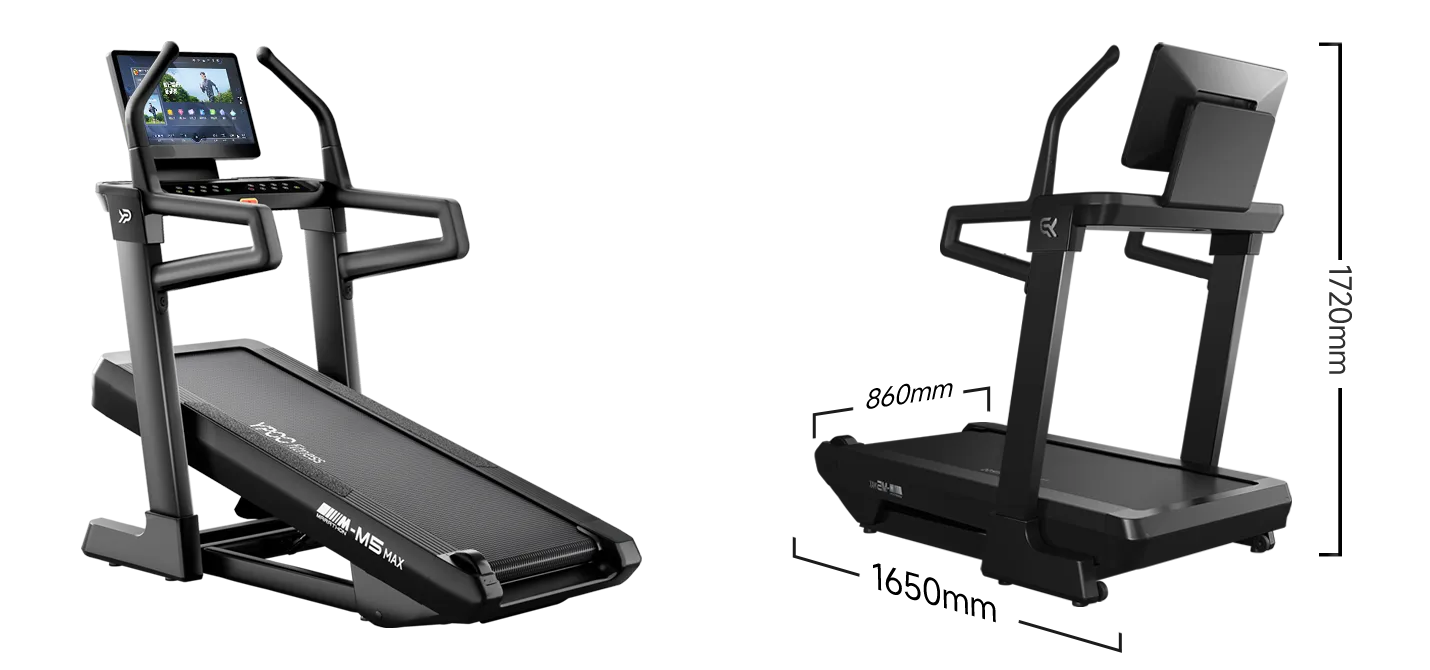

You bought a YPOO M5 treadmill because you want a better way to train at home. You want to run with your favorite apps, follow structured workouts, track your progress, and make your treadmill part of a modern connected-training setup.
That is where QZ can help.
QZ is the bridge between your fitness equipment and the training apps you already use. With a compatible YPOO M5 configuration, QZ can turn your treadmill into a much more flexible training platform, without replacing the treadmill you already own.
Table of Contents
What can QZ add to your YPOO M5?
With QZ, your treadmill can provide live workout data such as speed, incline, distance, and workout progress. Instead of keeping that information only on the treadmill console, QZ can make it available to the apps and services that are part of your training routine.
Depending on the app and the way you configure your setup, QZ can also let a compatible training app request changes to the treadmill. That means your workout can become more interactive: speed and incline can follow the demands of a route, a structured workout, or a virtual training session.
You can use QZ as the connection point between the treadmill and another device. The treadmill connects to QZ, and your training app connects to the virtual treadmill provided by QZ. This keeps the setup organized and allows the app to receive the treadmill data it needs.
Training apps and connected workouts
QZ is designed to work with a wide range of training apps and connected-training workflows. Depending on your device, operating system, and the features supported by the app, you may be able to use your treadmill with platforms such as Zwift, MyWhoosh, Kinomap, ROUVY, Runna, and other compatible services.
The exact experience depends on the app. Some apps focus on virtual routes and immersive training. Others provide structured workouts, coaching, or video-based sessions. QZ gives your treadmill a common bridge so that you can explore the option that best fits the way you like to train.
This is especially useful if you do not want your treadmill to be limited to one manufacturer’s app or one type of workout. You can keep using the treadmill as a normal treadmill, while also opening the door to a wider connected-training ecosystem.
A more complete workout record
QZ can also help bring your treadmill data into a more complete training record. Speed, incline, distance, and workout timing can be collected in one workflow, making it easier to understand what you actually did during a session.
That can be useful when you are following a training plan, comparing workouts, or simply trying to stay consistent. Your treadmill session becomes more than a number on the console: it becomes part of the training history you build over time.
What you need to check before starting
Compatibility can depend on the exact treadmill model, the Bluetooth name shown by the treadmill, the firmware, the QZ version, and the training app you want to use.
For the YPOO M5 workflow covered here, look for a treadmill identified by the Bluetooth name beginning with Y P T M U zero. Use a recent QZ version that includes the YPOO M5 support, and check that the treadmill is detected correctly before starting a long workout.
The best approach is simple: begin with a short test session. Confirm that QZ receives your speed and incline data, then try the features you want to use. If you plan to let an app control the workout, test speed and incline changes at a safe, comfortable pace before relying on an automatic route or a demanding training session.
QZ does not make every app identical, and it cannot add controls that a particular app does not request. But it can give you a practical bridge between your YPOO M5 and a much wider choice of connected-training experiences.
The key idea
Your YPOO M5 does not have to be used only as a standalone treadmill. With QZ, it can become part of a connected training setup that provides live data, supports compatible app workflows, and can make structured or virtual workouts more engaging.
If you already own the treadmill, QZ gives you a way to explore its connected potential before deciding whether you need additional equipment or a different training platform.
Start with your exact model and a recent QZ version, test the basic data connection, and then build the setup around the apps and workouts you actually enjoy.
If something does not work as expected, send an email to Roberto.viola83@gmail.com and Roberto will help you check the setup.
Learn more about QZ at QZ Fitness.