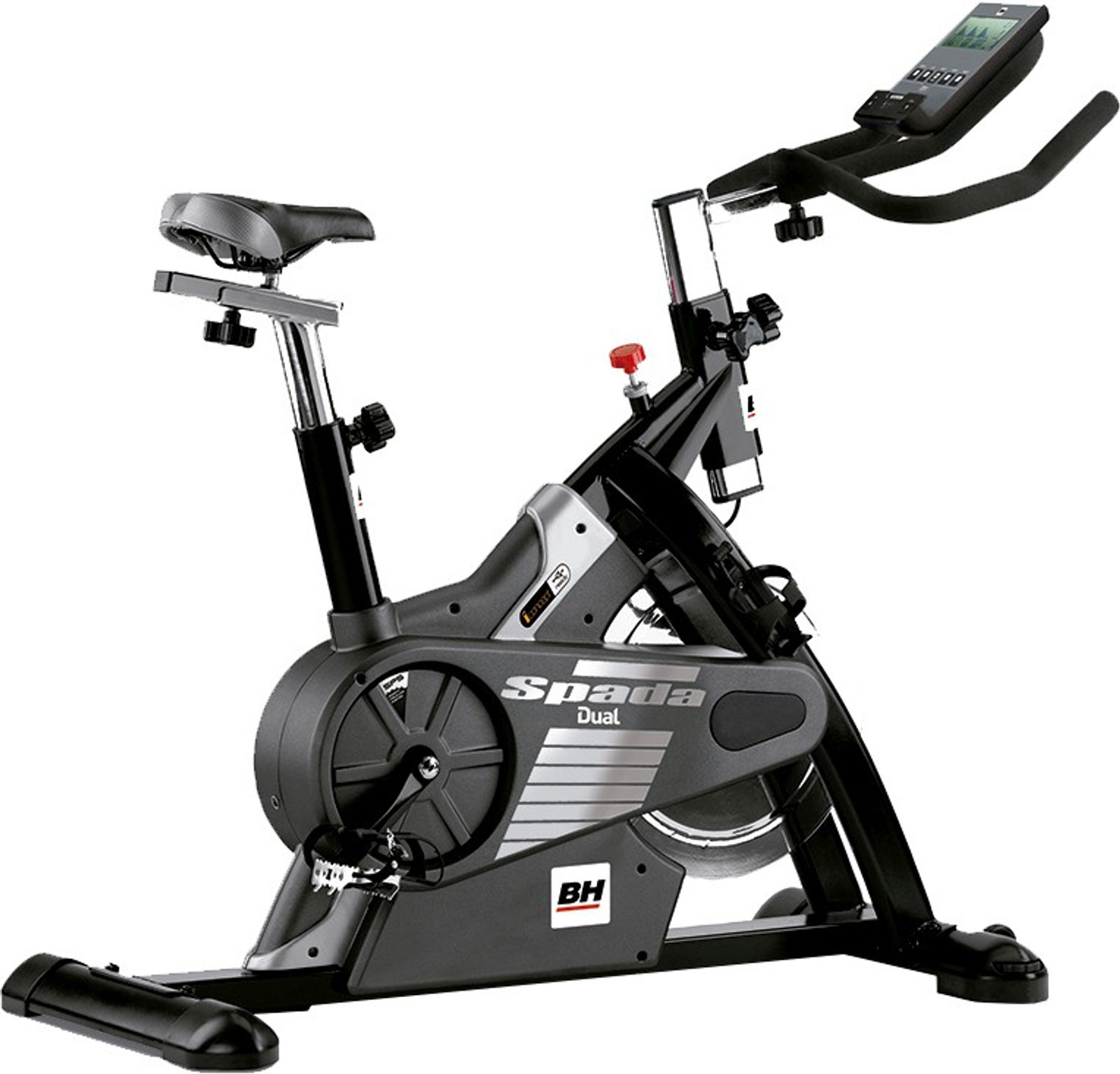
The BH Spada Dual indoor cycling bike works with QZ and Zwift after the correct BH Spada profile is enabled. A recent setup confirmation shows how QZ can bring a bike equipped with the BH Dual Kit into a modern connected-training workflow.

Table of Contents
The BH Spada Dual
The BH Spada Dual H930U is an indoor cycling bike designed for intensive home training. BH describes it as a Dual model that can be converted to i.Concept using the Dual Kit BE.[2] Public product information lists a magnetic braking system, a Poly-V belt drive, mixed pedals, a 20 kg equivalent flywheel, 24 training levels and a monitor for workout data.[2]
The Dual Kit is the important part of the connected setup. It provides the Bluetooth pathway that allows compatible devices and applications to communicate with the bike.
The confirmed QZ and Zwift setup
The rider installed QZ to connect an older BH Spada Dual equipped with the Dual Kit. QZ did not initially find the bike. The working solution was to enable the BH Spada setting under QZ’s bike settings, in the iConsole options.
After that setting was enabled, the rider confirmed: “It works, thank you Roberto!” The confirmation establishes the BH Spada Dual → QZ → Zwift workflow in this setup.
| Part of the setup | Confirmed result |
|---|---|
| Bike | BH Spada Dual indoor cycling bike |
| Bluetooth hardware | BH Dual Kit |
| QZ connection | Works after enabling the BH Spada setting |
| Training workflow | QZ used as the bridge to Zwift |
| Confirmation | Rider explicitly confirmed that the setup works |
What QZ adds
QZ acts as a bridge between fitness equipment and training applications. Its documented bike feature set includes customizable metric tiles and profiles, heart-rate support, heart-rate zones, workout recording and connections to compatible applications such as Zwift, Rouvy and Wahoo RGT.[3]
- Connected training apps: QZ can expose supported bike data to compatible apps, including Zwift and other documented training platforms.
- Workout metrics: QZ provides a live dashboard with configurable tiles and profiles.
- Heart rate: Bluetooth, ANT+ and Apple Watch heart-rate workflows are documented for supported configurations.
- Workout recording: QZ supports email reports, Strava workflows and workout files.
- Health and device integrations: the project documents Apple Health/HealthKit, Google Health Connect, Garmin FIT, MQTT, Open Sound Control, text-to-speech and Bluetooth accessories.
- Resistance workflows: QZ supports automatic resistance for equipment and profiles that expose a compatible control path.
These are general QZ capabilities. The email confirmation specifically proves the BH Spada Dual connection and the QZ-to-Zwift workflow after enabling the BH Spada setting. It does not independently prove every metric, every control or every third-party app combination for this bike.
How to connect the BH Spada Dual to QZ
- Make sure the BH Spada Dual and its Dual Kit are powered and available.
- Install a current QZ build and allow the required Bluetooth permissions.
- Open QZ and go to the bike or iConsole settings.
- Enable the BH Spada setting.
- Restart QZ or the bike if the app asks you to apply the setting.
- Wait for QZ to discover the bike and confirm that the connection is active.
- Open Zwift and pair the QZ device according to the Bluetooth workflow shown by QZ.
- Start with a short ride and verify the live values before beginning a longer workout.
Troubleshooting
- If QZ does not find the bike, confirm that the Dual Kit is connected and that the bike is powered.
- Check that the BH Spada option is enabled under the iConsole settings.
- Close other fitness applications that may already be using the Bluetooth connection.
- Restart QZ after changing the profile setting.
- Pair Zwift with QZ only after QZ has connected to the physical bike.
A flexible training setup for the Spada Dual
The BH Spada Dual was designed around the BH Dual Kit ecosystem, but QZ provides another way to use the bike. Once the BH Spada profile is enabled, QZ can connect to the bike and act as the bridge to Zwift.
BH Spada Dual + Dual Kit → QZ → Zwift and compatible connected-training workflows.
If something does not work as expected, send an email to Roberto.viola83@gmail.com and Roberto will help you check the setup.
Learn more about QZ at qzfitness.com and review the QZ equipment compatibility guide.
Sources
- BH Fitness Spada Dual H930U — official product reference and Dual Kit information.
- BH Spada Dual H930U image source — product image attribution.
- QZ feature list — documented features and integrations.
- QZ equipment compatibility guide — public compatibility reference.
- QZ GitHub repository — public project source.