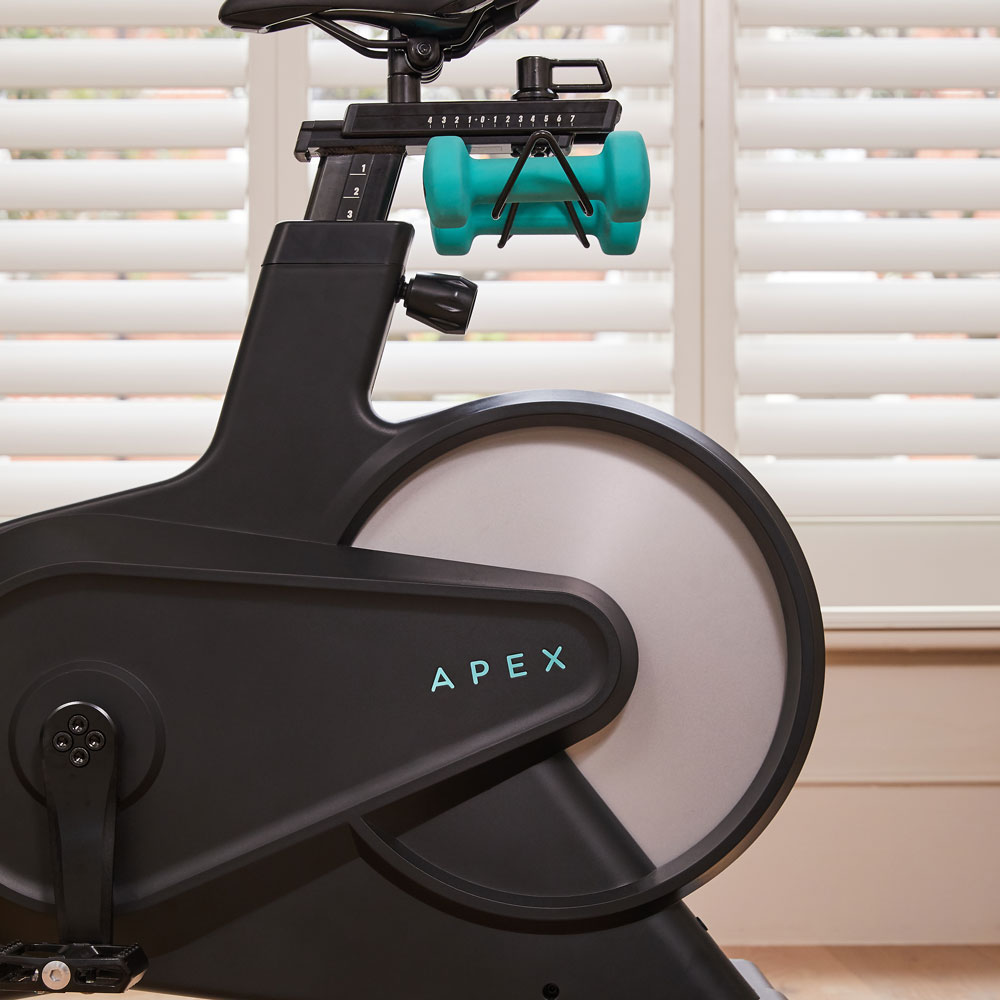
The Apex Bike can be used as a connected training bike without an Apex Rides class membership. QZ connects directly to the bike’s Bluetooth hardware, reads the live ride data and makes that data available to a much wider set of apps and services. The Apex Rides membership is still needed for Apex’s own classes and content, but it is not required for the QZ bridge itself.[1] [3] [4]

Table of Contents
What QZ reads from the Apex Bike
The QZ Apex driver recognizes the bike’s WLT8266BM Bluetooth name family and connects to its proprietary BLE service. It subscribes to the bike notifications, keeps the session metrics alive and publishes them to the QZ dashboard and virtual-device layer.[4] [3]
- Speed: live cycling speed from the Apex telemetry.
- Cadence: real-time RPM for the dashboard and connected apps.
- Resistance: the current level from the physical resistance dial.
- Distance: session distance maintained by QZ from the bike’s data stream.
- Power: QZ calculates a useful watt estimate from cadence and resistance using the Apex power table. This is a calculated value, not a separate strain-gauge power meter.
- Calories and workout statistics: QZ can use the bike metrics, user profile and heart-rate data to build the workout record.

The big advantage: keep the bike, change the ecosystem
With QZ running on a phone, tablet, Mac, Linux or Windows device, the Apex Bike no longer has to be tied to a single class platform. QZ can expose a virtual Bluetooth bike so a second device can discover standard FTMS bike data while QZ remains connected to the physical Apex. That makes it possible to keep the ride data in one place and choose the training screen that suits the session.[5] [3]
| QZ capability | What it adds to an Apex Bike |
|---|---|
| Direct Bluetooth bridge | QZ connects to the Apex hardware without opening the Apex Rides class app. |
| Virtual FTMS bike | Compatible training apps can see QZ as a standard bike on the same network of devices. |
| Live dashboard | Customizable tiles for speed, cadence, resistance, power, distance, calories, heart rate and workout time. |
| Workout recording | QZ stores the session and can export or upload it through the configured integrations. |
Garmin, Apple Health and Google Health Connect
QZ turns the Apex into a useful source for the health platforms many riders already use. These are workout-data integrations, not Apex class features, so they do not depend on an Apex Rides membership.
- Garmin Connect: QZ can record the workout and upload a FIT activity to Garmin Connect. The QZ integration guide also documents a live ANT+ route when the Android device and adapter support transmission.[6]
- Apple Health / HealthKit: on iPhone and iPad, QZ can write completed workouts to Apple Health and use the HealthKit workout path. The workout history screen includes an explicit Apple Health upload action.[9] [10]
- Google Health Connect: on Android, QZ can write the completed bike workout to Google Health Connect after the required permissions are granted. The session is saved when the workout is stopped in QZ, and the current implementation includes the bike exercise type.[7] [11]
- Strava: QZ can automatically upload the completed workout when the session is stopped and the Strava integration is configured.[5]
More than health sync
The same QZ bridge opens a much larger toolbox for the Apex Bike:
- Training apps: Zwift, MyWhoosh, ROUVY, BKOOL, Fulgaz, Kinomap and other apps that can read the virtual FTMS bike workflow.[8] [6]
- Workout files and routes: GPX route following, ZWO Zwift workouts, XML workout files, maps and heart-rate-based workout following.[5]
- Virtual gearing: QZ can provide virtual gear changes from the interface, a Bluetooth remote or Zwift Play/Click accessories. With Apex, this changes the virtual training output; the physical resistance remains set with the bike’s dial because the Apex driver is read-only for resistance commands.
- Heart rate: Bluetooth, ANT+ and Apple Watch heart-rate sources can be combined with the Apex ride data for zones, calories and workout recording.[5]
- Automation and smart-home links: email workout reports, MQTT, Open Sound Control, text-to-speech and customizable profiles/tiles are available as QZ features.[5]
What “without a subscription” means
You do not need an Apex Rides membership to connect the Apex Bike to QZ, read its metrics, record a workout, use Apple Health, Google Health Connect or Garmin Connect, or expose the bike to compatible FTMS apps. A separate subscription may still be required by a third-party training app for its own classes or premium features; QZ connects the hardware and moves the data but does not unlock paid content in another service.
A simple Apex Bike and QZ setup
- Install a current QZ build on the device that will act as the bridge.
- Power the Apex Bike and keep it close to the QZ device.
- Allow Bluetooth access and let QZ detect the WLT8266BM device.
- Enable the QZ virtual bike if the training app will run on a second device.
- Choose the QZ/FTMS bike in Zwift, MyWhoosh, ROUVY, BKOOL, Fulgaz, Kinomap or another compatible app.
- For health export, grant the requested Apple Health or Google Health Connect permissions, start the ride in QZ and stop it in QZ when finished.
- Keep the physical resistance at the level you want on the Apex dial; QZ reports that level and calculates the corresponding power estimate.
Apex Bike plus QZ in one sentence
Apex Bike → QZ Bluetooth bridge → live speed, cadence, resistance, distance and calculated power → virtual FTMS bike → Garmin, Apple Health, Google Health Connect, Strava, Zwift, MyWhoosh, ROUVY, BKOOL and more. It is a practical way to keep using the Apex hardware while choosing the software, recording and health ecosystem that fits your training.
Read more on the official Apex Rides website, visit QZ Fitness and review the QZ supported applications.
Sources
- Apex Rides official website: Apex Bike and membership context.
- T3 Apex Bike review: product photographs credited to Apex and bike characteristics.
- QZ Apex Bike driver: BLE connection, metrics, power calculation and virtual-bike initialization.
- QZ Bluetooth detection: WLT8266BM Apex device recognition in public master.
- QZ feature list: apps, health/heart-rate, workout, statistics and automation features.
- QZ integration FAQ: Garmin Connect, virtual-bike and training-app workflows.
- QZ Android FAQ: Google Health Connect permissions and completed-workout export.
- QZ supported applications: FTMS application compatibility.
- QZ Apple Health workout model: historical workout upload action.
- QZ HealthKit integration: Apple Health workout and sensor path.
- QZ Health Connect implementation: Android workout export implementation.