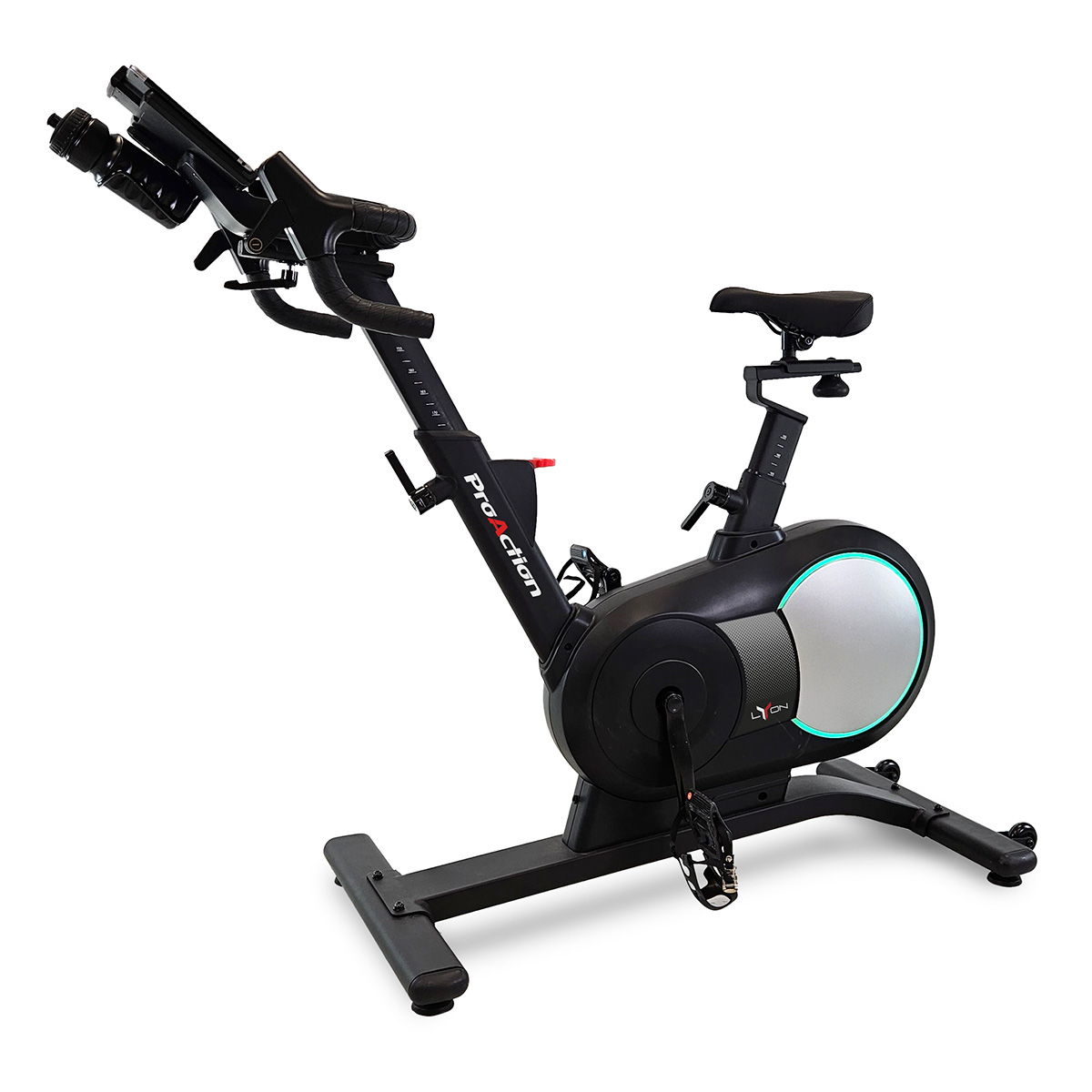
The BH Fitness Lyon H9115 is an FTMS-connected indoor bike, and QZ provides a practical way to use its bike data across a wider training setup. The official BH Fitness specification lists Bluetooth FTMS connectivity, magnetic resistance, handlebar controls and power measurement up to 500 watts.[2] [3]

Table of Contents
What the Lyon H9115 provides
- Bluetooth FTMS: the standard connection used by compatible indoor-cycling applications.
- Power data: BH lists watt measurement up to 500 watts.
- Speed and cadence: the bike exposes the core cycling metrics needed by training platforms.
- Magnetic resistance: 32 levels with integrated handlebar controls.
- Connected apps: BH lists Zwift, Kinomap and TrainerRoad compatibility.
- LED feedback: the ring around the flywheel changes with effort/resistance.
How QZ fits into the Lyon H9115 workflow
QZ can act as the central connection layer between the Lyon H9115 and the rest of the training setup. The recent QZ implementation for the H9115 automatically enables the FTMS configuration path when the bike advertises as H9115 LYON. That removes the need to guess which bike profile to select manually.[4]
| Connection | Role in the setup |
|---|---|
| BH Lyon H9115 → QZ | QZ receives the bike’s Bluetooth FTMS metrics and presents them in the app. |
| QZ → training app | QZ can bridge the workout to compatible virtual-training applications through its supported device workflows. |
| QZ → Garmin Edge | On Android, an external USB ANT+ adapter can be used when Garmin recording is required and the phone/tablet supports the adapter. |
The Garmin bridge
Garmin Edge computers commonly expect ANT+ sensors, while the Lyon H9115 exposes Bluetooth FTMS. QZ can fill that protocol gap: connect the bike to QZ over Bluetooth, connect a compatible USB ANT+ dongle to an Android phone or tablet through USB-C/OTG, and let QZ transmit the ride data toward Garmin.
- Connect the Lyon H9115 to QZ over Bluetooth FTMS.
- Confirm that speed, cadence and power update correctly inside QZ.
- Connect a compatible ANT+ USB adapter to the Android device running QZ.
- Enable the required ANT+ bike/power transmission settings in QZ.
- Pair the resulting ANT+ sensor on the Garmin Edge and record the activity there.
An iPhone or a Galaxy Tab without native ANT+ hardware cannot transmit ANT+ by itself; the Android path therefore requires the external adapter. This is separate from the Bluetooth FTMS connection between the bike and QZ.
Using the Lyon H9115 with connected apps
For apps that accept FTMS directly, the simplest path is Lyon H9115 → QZ or app → workout platform. QZ becomes especially useful when you want to combine the bike with a second device, expose a virtual bike, add workout recording integrations or route the data toward Garmin through ANT+.
- Zwift: use the FTMS bike workflow and select the QZ bridge when QZ is the connection layer.
- Kinomap: use the FTMS-compatible bike connection for route-based training.
- TrainerRoad and other FTMS apps: select the Lyon/QZ bike path where the app supports FTMS cycling devices.
- Garmin Edge: use the QZ-to-ANT+ bridge with a compatible Android device and USB adapter.
- Health and workout services: QZ can add its available Apple Health/HealthKit, Garmin and Google Health/Health Connect workflows when configured.
BH Fitness Lyon H9115 and QZ in one sentence
Lyon H9115 Bluetooth FTMS → QZ → live cycling metrics, virtual-bike bridging and optional ANT+ output → training app or Garmin Edge.
Read the official BH Fitness Lyon H9115 page, consult the official product sheet and visit QZ Fitness for the current application and integration workflow.
Sources
- BH Fitness Lyon H9115 official page: FTMS, power, resistance and supported apps.
- BH Fitness Lyon H9115 product sheet: technical specifications.
- QZ PR #5112: automatic FTMS setup for H9115 Lyon.
- Official product image source.
- QZ supported applications.