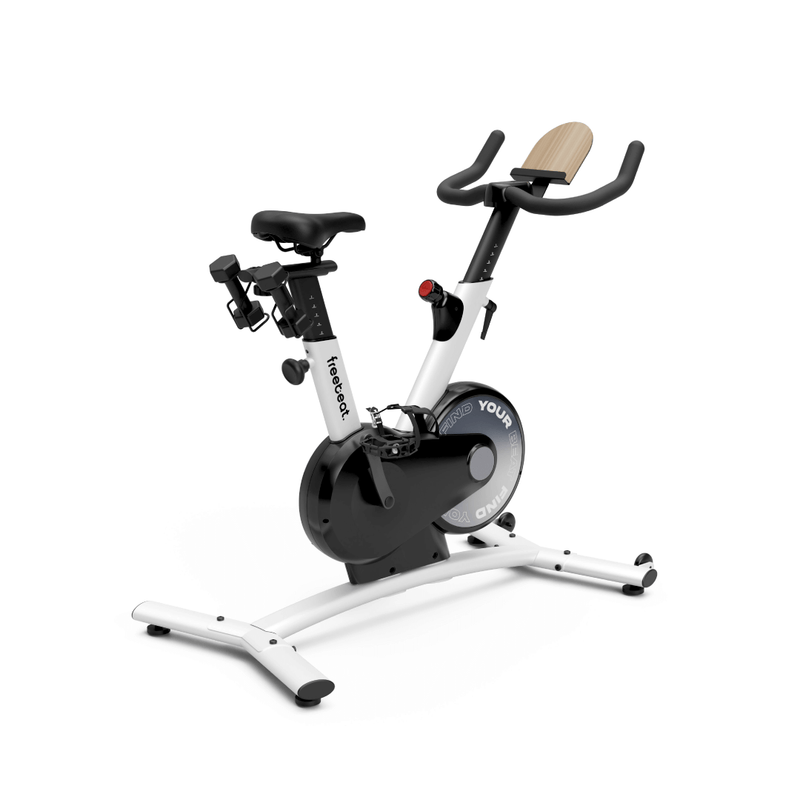
The Freebeat Boom Bike Basic now works with QZ through its proprietary Bluetooth Low Energy protocol. QZ connects directly to the bike, reads its workout telemetry and can expose the ride through a standard virtual FTMS bike for compatible apps.

Table of Contents
Why this is useful for Boom Bike Basic owners
The Boom Bike Basic was designed around the freebeat ecosystem, but QZ adds a flexible bridge for riders who want to keep using the hardware with other training tools. The QZ implementation identifies the Boom Bike Basic Bluetooth service, polls the bike’s telemetry and translates the proprietary packets into the metrics used by connected training software.[2]
- Direct BLE connection: QZ connects to the Boom Bike Basic instead of requiring the discontinued or unavailable original service workflow.
- Live speed: QZ converts the bike’s telemetry into the displayed training speed.
- Cadence: the bike’s RPM is available as live cadence.
- Resistance: QZ reads the bike resistance and can send resistance commands back when writing is enabled.
- Power: QZ derives the workout power value from the bike’s cadence and resistance telemetry.
- Distance: QZ accumulates distance from the corrected speed stream.
The virtual FTMS bike bridge
QZ can also create a virtual bike interface. This lets a second device, such as an iPad or computer, discover QZ as a standard Bluetooth FTMS bike while the Android phone or tablet running QZ remains connected to the physical Boom Bike Basic. The virtual-bike bridge was added to the public QZ repository in PR #5116.[3]
| Workflow | What QZ does |
|---|---|
| Boom Bike Basic → QZ | Reads the proprietary BLE packets and shows speed, cadence, resistance, power and distance. |
| QZ → FTMS app | Broadcasts a standard virtual bike interface to a compatible app on the same or a second device. |
| QZ → Garmin/health integrations | Uses QZ’s available workout and device integrations when the selected platform and permissions are configured. |
What the hands-on validation showed
A real Boom Bike Basic setup was tested with a QZ Android build containing the merged support. The bike connected successfully, speed was corrected with the normal speed-gain setting, and QZ broadcast FTMS so that TrainingPeaks Virtual could discover it and complete a short test ride. The same setup also passed workout data through Garmin and its connected Strava workflow.
On older Android hardware, running the physical-bike connection and the virtual FTMS peripheral at the same time can depend on the phone’s Bluetooth capabilities. If both roles are needed, use a newer Android device or run QZ on one device and the training app on another.
How to connect the Freebeat Boom Bike Basic to QZ
- Turn on the Boom Bike Basic and keep it close to the Android device running QZ.
- Install a QZ build that includes the merged Boom Bike Basic support from PR #5095.
- Open QZ and select the Boom Bike Basic when it appears during Bluetooth discovery.
- Start pedalling and confirm that speed, cadence, resistance and power update in QZ.
- Leave Speed gain at the normal value of 1 for the corrected implementation.
- Enable Virtual bike when the external training app must pair to QZ over FTMS.
- Open Zwift, TrainingPeaks Virtual or another compatible app and select the QZ virtual bike.
Freebeat Boom Bike Basic and QZ in one sentence
Freebeat Boom Bike Basic → proprietary BLE → QZ → live metrics and resistance control → virtual FTMS bike → connected training apps. This gives the Boom Bike Basic a practical second life beyond its original app ecosystem.
See the official Boom Bike Basic page, the merged BLE support and virtual-bike bridge, and the QZ Fitness project.
Sources
- freebeat Boom Bike Basic official product page: product design and original smart-bike features.
- QZ PR #5095: merged proprietary BLE support for the Boom Bike Basic.
- QZ PR #5116: merged virtual bike bridge.
- Official product image source.
- QZ supported applications.