
Table of Contents
HAMMER FlyRun 4.0 and QZ: Connected Treadmill Control and Automatic Interval Training
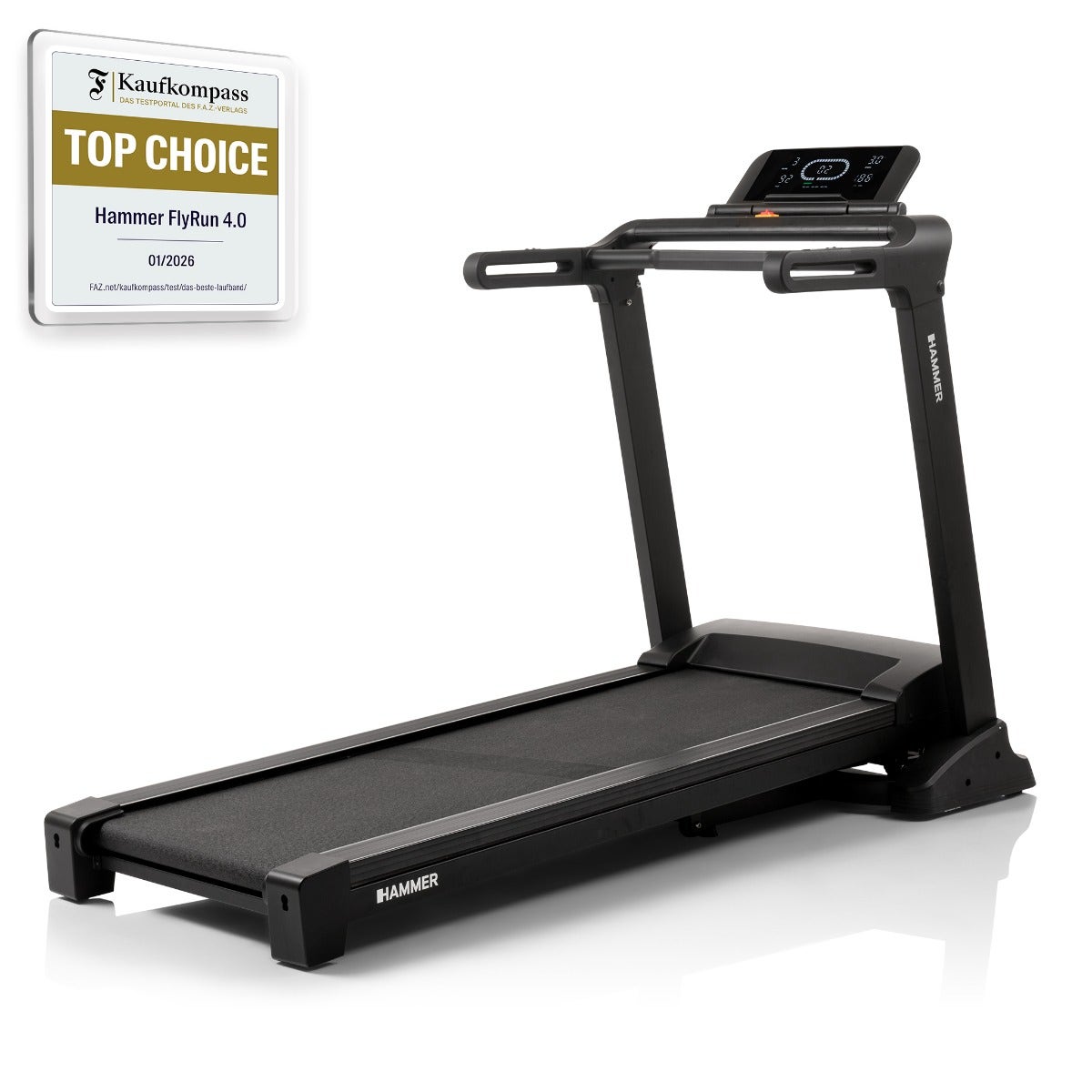
The HAMMER FlyRun 4.0 is a powerful home treadmill with a wide running surface, electronic incline adjustment, Bluetooth connectivity and a performance-focused display. With QZ, the FlyRun 4.0 becomes part of a more flexible connected-training setup: QZ finds the treadmill, provides control and can run interval workouts automatically.
The confirmed workflow is designed for runners who want more than a basic treadmill session. QZ connects to the FlyRun 4.0, exposes the treadmill to the connected-training ecosystem and lets the rider create structured interval training that runs automatically.
Connect the HAMMER FlyRun 4.0 to QZ
Use the following setup:
- Turn on the HAMMER FlyRun 4.0 and make sure Bluetooth is available.
- Close other fitness apps that may already be connected to the treadmill.
- Open QZ and start Bluetooth device discovery.
- Select the HAMMER FlyRun 4.0 when it appears in the available devices.
- Confirm that QZ has found the treadmill and that its live workout data is updating.
- Use QZ’s treadmill controls to check that the connection responds correctly.
- Open the QZ workout or interval-training section.
- Create an interval workout and start it from QZ.
- Begin with a short test session and verify each interval before starting a longer run.
The important result is that QZ does more than read the treadmill: the confirmed setup finds the FlyRun 4.0, allows treadmill control and runs an interval workout automatically.
What QZ adds to the FlyRun 4.0
The confirmed FlyRun 4.0 workflow provides:
- Bluetooth treadmill discovery through QZ;
- QZ control of the connected treadmill;
- automatic interval-training sessions created in QZ;
- a structured workout workflow for speed changes and training blocks where supported by the connected profile;
- a bridge between the HAMMER treadmill and compatible training applications.
The device-specific confirmation covers treadmill discovery, control and automatically running interval training. The exact controllable values and app behavior depend on the QZ profile, treadmill firmware and receiving application.
A more structured treadmill workout
The FlyRun 4.0 is built for demanding home running sessions, with a spacious running surface, electronic incline adjustment and a motor designed for high-speed training. QZ adds the workout layer that helps turn those capabilities into repeatable interval sessions.
Create the workout in QZ, start with a short validation run and confirm that the treadmill follows the programmed blocks. Once the interval sequence behaves as expected, the FlyRun 4.0 can support a more consistent approach to tempo runs, recovery blocks and structured endurance training.
Compatible training apps
HAMMER lists digital connectivity and compatibility with apps such as Zwift and Kinomap. QZ adds another connection layer for users who want to combine the treadmill with QZ workouts, supported virtual devices and the wider QZ ecosystem.
Third-party apps can have their own pairing screens, accounts, subscriptions and control limitations. Pair the FlyRun 4.0 to QZ first when using QZ as the bridge, then select the virtual treadmill or compatible QZ output in the receiving app when required.
The wider QZ ecosystem
Beyond this device-specific connection, QZ can act as a flexible training and data bridge across a much wider fitness ecosystem. The exact options depend on the selected profile, platform and hardware, but the broader QZ toolkit includes:
- customizable tiles, multiple profiles and UI zoom controls;
- Peloton bike metrics, power zones, resistance conversion and supported auto-resistance workflows;
- Peloton treadmill and elliptical auto-speed or auto-incline workflows where the selected device path supports them;
- heart-rate support from Apple Watch, ANT+ devices and Bluetooth sensors;
- custom heart-rate zones and wattage estimation from heart rate and cadence;
- Zwift, Wahoo RGT, Wahoo DirCon, VzFit, Rouvy, iFIT, Echelon and BitGym where the selected profile and platform support them;
- Kinomap, MyWhoosh and other compatible apps when the selected device workflow supports them;
- local or cloud video, GPX route following, 2D/3D maps, ZWO and XML workouts;
- heart-rate-following workouts, random workouts, standalone QZ workouts and structured/ERG sessions when supported by the device path;
- end-of-workout email reports, Strava uploads, Garmin FIT/Garmin Connect workflows, Apple Health/HealthKit and Google Health/Google Health Connect integrations where supported;
- MQTT, OpenSoundControl/OSC, text-to-speech/TTS, Bluetooth remote resistance shifting, Zwift Play & Click and ANT+ retransmission.
These are QZ ecosystem capabilities rather than a promise that every function is native to the HAMMER FlyRun 4.0. The device-specific confirmed workflow is treadmill discovery, control and automatic interval training through QZ. Third-party apps may also have their own account, subscription and content requirements.
A smarter FlyRun 4.0 training workflow
The HAMMER FlyRun 4.0 combines a powerful treadmill platform with digital connectivity. QZ adds a practical way to control the treadmill and build automatic interval workouts instead of relying only on manual button presses.
Connect the FlyRun 4.0 to QZ, test the treadmill controls and create an interval workout. Once the first short session runs correctly, the treadmill is ready for repeatable connected training and structured running sessions.
If something does not work as expected, send an email to Roberto.viola83@gmail.com and Roberto will help you check the setup.
Learn more about QZ at qzfitness.com.