
Table of Contents
Tunturi E60 and QZ: Connected ROUVY Training from One Android Device
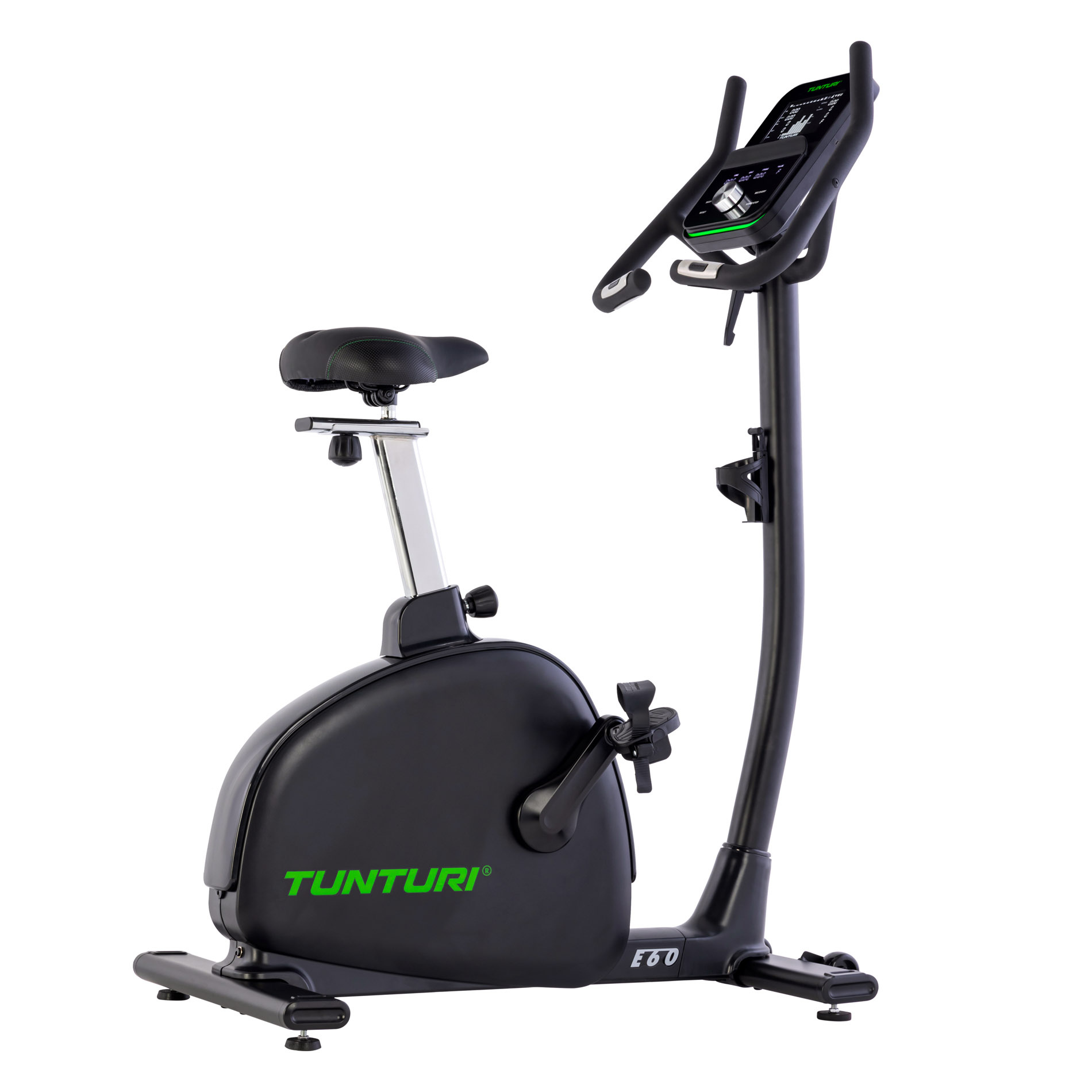
The Tunturi E60 is a connected exercise bike with electronically controlled resistance, Bluetooth connectivity and a training display that puts key workout data at the rider’s fingertips. With QZ, the E60 can join a flexible indoor-cycling setup and work with ROUVY through QZ’s virtual trainer bridge.
A confirmed setup allows QZ and ROUVY to work on the same Android tablet or phone. QZ connects to the Tunturi E60 over Bluetooth, then exposes a virtual trainer that ROUVY can use for the connected workout.
Connect the Tunturi E60 to ROUVY through QZ
Use the following setup:
- Close ROUVY.
- Open QZ and connect it to the Tunturi E60 over Bluetooth.
- Pedal briefly and confirm that power and cadence update on QZ’s main screen.
- In QZ, enable ROUVY Compatibility and the normal virtual trainer/device option.
- Under Experimental Settings, enable Android Notification.
- Allow QZ unrestricted background battery usage in Android settings.
- Restart QZ and reconnect the Tunturi E60.
- Open ROUVY and go to its sensor-pairing screen.
- Select QZ’s virtual trainer—often shown as Elite—as the power source and controllable trainer when offered.
- Start with a short ride and confirm that the workout data is available in ROUVY.
The key point is to connect the Tunturi E60 to QZ first and let ROUVY use QZ’s virtual trainer. Do not pair ROUVY directly to the Tunturi E60 when using this bridge workflow.
One-device Android setup
The Tunturi E60 and ROUVY can be used with QZ on the same Android device when the Android notification and battery settings are configured correctly. This keeps the setup simple: the tablet or phone runs QZ and ROUVY while the bike supplies the physical workout data over Bluetooth.
If ROUVY cannot discover QZ’s virtual trainer on a particular Android device, try the same workflow with QZ on one Android phone or tablet and ROUVY on a second device. Android Bluetooth and background-execution behavior can vary by manufacturer and operating-system version.
What QZ adds to the Tunturi E60
The confirmed Tunturi E60 workflow provides a practical bridge for connected training:
- Bluetooth connection from the bike to QZ;
- live power and cadence available in QZ;
- QZ virtual-trainer output for ROUVY;
- one-device Android operation when the platform permits it;
- a fallback two-device setup when Android or ROUVY does not keep both apps connected reliably;
- a simple way to use the E60 with a modern virtual-cycling environment.
The device-specific confirmation covers the QZ-to-ROUVY connection and live power/cadence workflow. Other controls and metrics remain dependent on the selected QZ profile, the bike’s reported data and the receiving app.
ROUVY and connected indoor cycling
ROUVY provides the virtual training environment while QZ handles the connection layer between the Tunturi E60 and the app. The rider can train with virtual routes and structured sessions while keeping the E60’s ergonomic exercise-bike setup.
Begin with a short test ride, confirm that QZ receives the bike data and verify that ROUVY sees the QZ virtual trainer before starting a longer session. App-side playback and sensor behavior can depend on the Android device, ROUVY version and background permissions.
The wider QZ ecosystem
Beyond this device-specific connection, QZ can act as a flexible training and data bridge across a much wider fitness ecosystem. The exact options depend on the selected profile, platform and hardware, but the broader QZ toolkit includes:
- customizable tiles, multiple profiles and UI zoom controls;
- Peloton bike metrics, power zones, resistance conversion and supported auto-resistance workflows;
- Peloton treadmill and elliptical auto-speed or auto-incline workflows where the selected device path supports them;
- heart-rate support from Apple Watch, ANT+ devices and Bluetooth sensors;
- custom heart-rate zones and wattage estimation from heart rate and cadence;
- Zwift, Wahoo RGT, Wahoo DirCon, VzFit, Rouvy, iFIT, Echelon and BitGym where the selected profile and platform support them;
- Kinomap, MyWhoosh and other compatible apps when the selected device workflow supports them;
- local or cloud video, GPX route following, 2D/3D maps, ZWO and XML workouts;
- heart-rate-following workouts, random workouts, standalone QZ workouts and structured/ERG sessions when supported by the device path;
- end-of-workout email reports, Strava uploads, Garmin FIT/Garmin Connect workflows, Apple Health/HealthKit and Google Health/Google Health Connect integrations where supported;
- MQTT, OpenSoundControl/OSC, text-to-speech/TTS, Bluetooth remote resistance shifting, Zwift Play & Click and ANT+ retransmission.
These are QZ ecosystem capabilities rather than a promise that every function is native to the Tunturi E60. The confirmed device-specific path is the Bluetooth connection to QZ, live power/cadence data and QZ’s virtual-trainer bridge to ROUVY. Third-party apps may also have their own account, subscription and content requirements.
A more flexible Tunturi E60
The Tunturi E60 combines a serious indoor-bike platform with Bluetooth connectivity and electronically managed training data. QZ adds the bridge needed to use that data with ROUVY and a wider ecosystem of connected training, health and workout-recording tools.
Connect the E60 to QZ, enable ROUVY Compatibility and Android Notification, allow unrestricted background operation, restart QZ and select its virtual trainer in ROUVY. Once power and cadence are visible and the app pairing is complete, the Tunturi E60 is ready for connected indoor training.
If something does not work as expected, send an email to Roberto.viola83@gmail.com and Roberto will help you check the setup.
Learn more about QZ at qzfitness.com.