
Table of Contents
Merach T12 Pro and QZ: Connected Treadmill Training with Speed Control
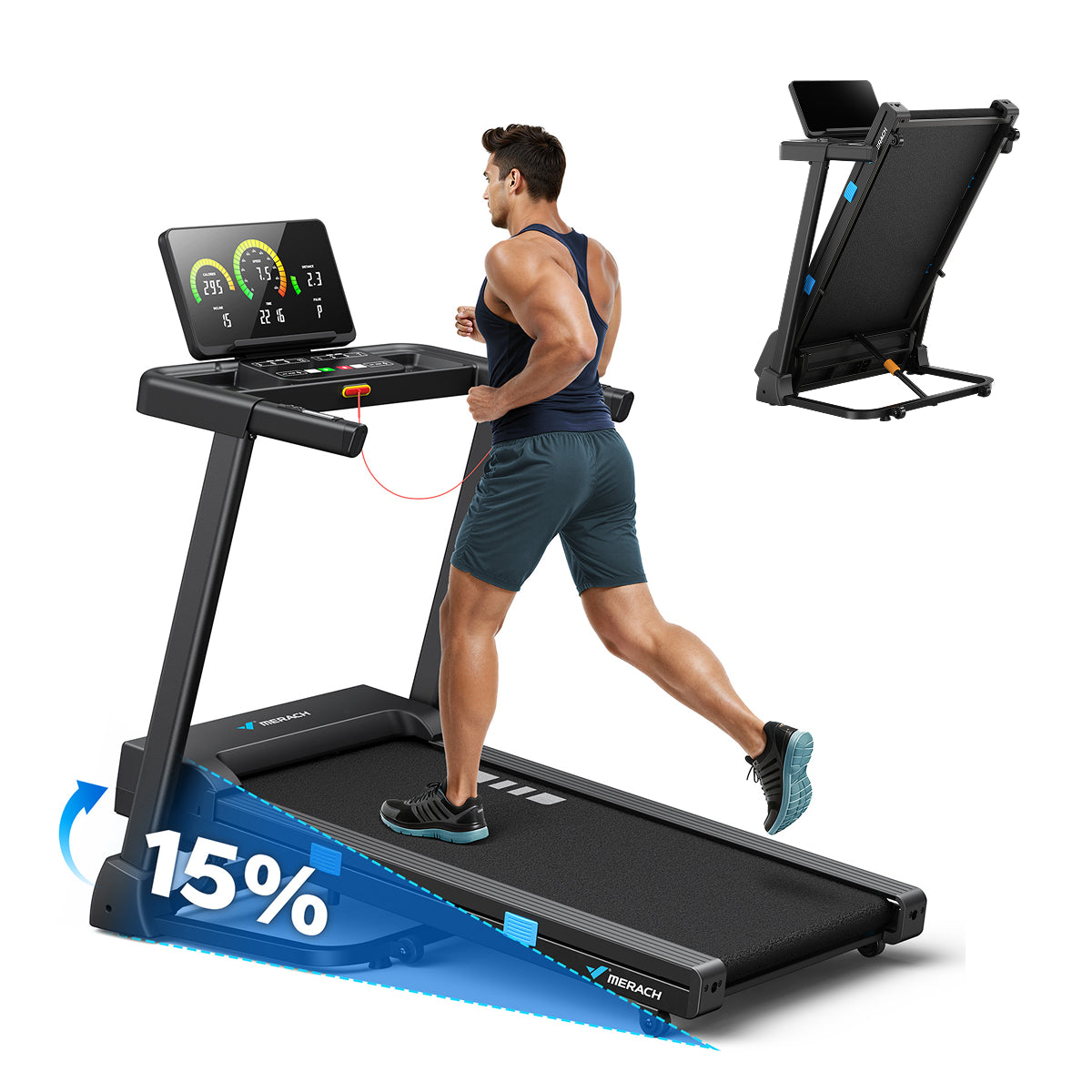
The Merach T12 Pro is a foldable home treadmill built around a wide 17.3-inch running belt, a 0.5–7.5 mph speed range, 15% automatic incline and a reinforced frame rated for users up to 320 lb.[1] Its compact folding design, digital workout display and tablet-friendly console make it a practical choice for everyday walking, running and interval training at home.
With QZ, the Merach T12 Pro becomes part of a more flexible connected-training setup. QZ connects to the treadmill through its FitShow-compatible control path, exposes the workout data and lets compatible training applications use the treadmill for structured sessions, virtual routes and speed-based workouts.
Select the Merach T12 Pro profile in QZ
To connect the treadmill:
- Turn on the Merach T12 Pro.
- Open QZ and go to the treadmill device settings.
- Select FitShow Merach T12 Pro.
- Allow QZ to connect to the treadmill over Bluetooth.
- Confirm that live speed, incline and workout values are updating.
The dedicated profile is designed for Merach T12 Pro devices identified by the MRK-T12-* Bluetooth name. Selecting the dedicated profile gives QZ the correct connection and startup workflow for this treadmill instead of relying on a generic FTMS treadmill path.
What QZ adds to the Merach T12 Pro
The T12 Pro already provides the core hardware for home training: a 7.5 mph top speed, 15% automatic incline, a wide running belt, a digital monitor and a foldable frame. QZ adds the connection layer that lets you use the treadmill with a wider training ecosystem.
Depending on the selected application and configuration, QZ can provide:
- live treadmill speed and incline data;
- speed control during compatible workouts;
- start, pause and stop workflows through the supported profile;
- treadmill metrics for compatible virtual-training applications;
- structured workout recording and session history;
- virtual treadmill output for supported training platforms;
- heart-rate workflows when a compatible sensor is available;
- a unified way to combine the treadmill with virtual routes and training plans.
The result is a treadmill that can do more than run its own built-in sessions. QZ connects the T12 Pro to the apps and workout formats you prefer while keeping the treadmill’s own physical controls available for manual incline adjustments.
Zwift, MyWhoosh, Kinomap, Rouvy and more
QZ can act as the bridge between the Merach T12 Pro and compatible applications such as Zwift, MyWhoosh, Kinomap and Rouvy. The selected application provides the route, workout or virtual environment, while QZ handles the treadmill connection and exposes the relevant data.
You can use the treadmill for structured speed sessions, virtual running environments, endurance workouts and interval blocks. Keep the treadmill in front of you while using a phone, tablet, computer or television for the training experience.
QZ also lets you keep your connected setup flexible. You can change the training application without changing the physical treadmill, and you can use QZ as the central bridge for treadmill metrics, compatible outputs and workout recording.
Availability of individual functions depends on the selected application and its support for virtual treadmills. QZ provides the connection layer, while you remain free to choose the training platform that suits you.
Speed-based structured workouts
The Merach T12 Pro’s 0.5–7.5 mph range covers walking, jogging, steady running and interval work.[1] QZ makes speed-based sessions easier to repeat by connecting the treadmill to compatible workout structures and recording tools.
You can use the setup for:
- warm-up and recovery blocks;
- progressive running sessions;
- speed intervals;
- endurance workouts;
- virtual running routes;
- repeatable training plans;
- heart-rate-guided sessions.
The treadmill’s 15% automatic incline remains available for hill work and manual terrain changes from the treadmill controls. QZ adds the connected data and speed workflow around the session, so you can focus on the workout instead of moving between disconnected apps and devices.
A compact treadmill for everyday training
The T12 Pro combines a 3.0 HP peak motor, a 17.3-inch running belt, 15 incline levels and a reinforced steel frame with a maximum user weight of 320 lb.[1] It folds into a compact footprint and includes transport wheels, a digital monitor, a tablet holder and built-in heart-rate sensors.
The monitor can show calories, time, speed, distance and incline. The treadmill is designed for home use without requiring assembly, while its folding structure helps it fit into smaller training spaces.[1]
QZ builds on those practical features with external apps, connected metrics, structured workouts and virtual-training workflows. You can keep a simple treadmill session simple, or add QZ when you want more control over how the workout is recorded and used.
The wider QZ feature set
The Merach T12 Pro profile is part of the broader QZ ecosystem. Depending on the connected equipment, application and configuration, QZ also provides:
- customised device profiles and training screens;
- Peloton-specific workflows;
- heart-rate zones, Bluetooth heart-rate sensors, ANT+ and Apple Watch workflows;
- a compatible-app bridge for bikes, treadmills, ellipticals and rowers;
- metrics and controls/ERG workflows where supported;
- standalone QZ workouts;
- video, GPX, ZWO, XML, random and heart-rate-following workouts;
- Strava, Apple Health, HealthKit, Google Health Connect and Garmin FIT exports;
- MQTT and OSC integrations for advanced setups;
- text-to-speech and email workout reports;
- ANT+ retransmission and Bluetooth remote tools;
- Zwift Play and Zwift Click workflows;
- Wahoo DirCon and other supported fitness-device integrations.
These are QZ bridge features, and their exact availability depends on the connected equipment and selected app. The benefit is that one flexible layer can sit between your treadmill and the training tools you want to use.
How to get started
- Install a QZ build that includes the FitShow Merach T12 Pro profile.
- Turn on the treadmill and open QZ.
- Open the treadmill device settings.
- Select FitShow Merach T12 Pro.
- Confirm that live speed, incline and workout values are visible.
- Enable the virtual treadmill output required by your chosen app.
- Connect Zwift, MyWhoosh, Kinomap, Rouvy or another compatible application.
- Start with a short workout and test the speed workflow before a longer interval session.
The exact profile name matters. Do not select a generic FTMS treadmill profile when the dedicated FitShow Merach T12 Pro option is available.
A more flexible Merach T12 Pro
The Merach T12 Pro already offers a wide belt, automatic incline, a foldable design and a home-friendly running experience. QZ adds the freedom to use that equipment with modern virtual routes, structured workouts, compatible apps and connected workout records.
Select FitShow Merach T12 Pro in QZ, connect the treadmill and choose the training application you want to use. The result is a more flexible treadmill setup that can grow with your training goals instead of locking you into a single workout experience.
If something does not work as expected, send an email to Roberto.viola83@gmail.com and Roberto will help you check the setup.
Learn more about QZ at qzfitness.com.
The Wider QZ Ecosystem
Beyond this device-specific connection, QZ can act as a flexible training and data bridge across a much wider fitness ecosystem. The exact options depend on the selected profile, platform and hardware, but the broader QZ toolkit includes:
- Customizable training interface: tile order and visibility, multiple user or fitness-device profiles, and UI zoom controls.
- Peloton workflows: bike metrics, power zones, resistance conversion and supported auto-resistance workflows, plus device-dependent auto-speed and auto-incline workflows for treadmills and ellipticals.
- Heart-rate and sensor tools: Apple Watch, ANT+ and Bluetooth heart-rate support, custom heart-rate zones, and wattage estimation from heart rate and cadence for bikes without a power sensor.
- Training apps and bridges: Zwift, Wahoo RGT, VzFit, Rouvy, iFIT, Echelon, BitGym and Wahoo DirCon, with Kinomap and MyWhoosh available where the selected device and workflow support them.
- Workout programs: built-in or local/cloud video workflows, GPX route following, 2D/3D maps, ZWO and XML workouts, heart-rate-following workouts, random workouts, standalone QZ workouts and structured/ERG sessions.
- Health, statistics and exports: end-of-workout email reports, Strava uploads, Garmin FIT and Garmin Connect workflows, Apple Health/HealthKit integration, and Google Health/Google Health Connect workflows where supported by the platform.
- Automation and integrations: MQTT, OpenSoundControl/OSC, text-to-speech/TTS, Bluetooth remote resistance shifting, Zwift Play & Click, ANT+ retransmission and other supported sensor bridges.
These are QZ ecosystem capabilities rather than a promise that every function is native to this particular machine. The device-specific setup and controls described above remain the authoritative part for this model; third-party apps may also have their own account, subscription and content requirements.