
Table of Contents
Odin R700 and QZ: Connected Rowing Workouts with More Freedom
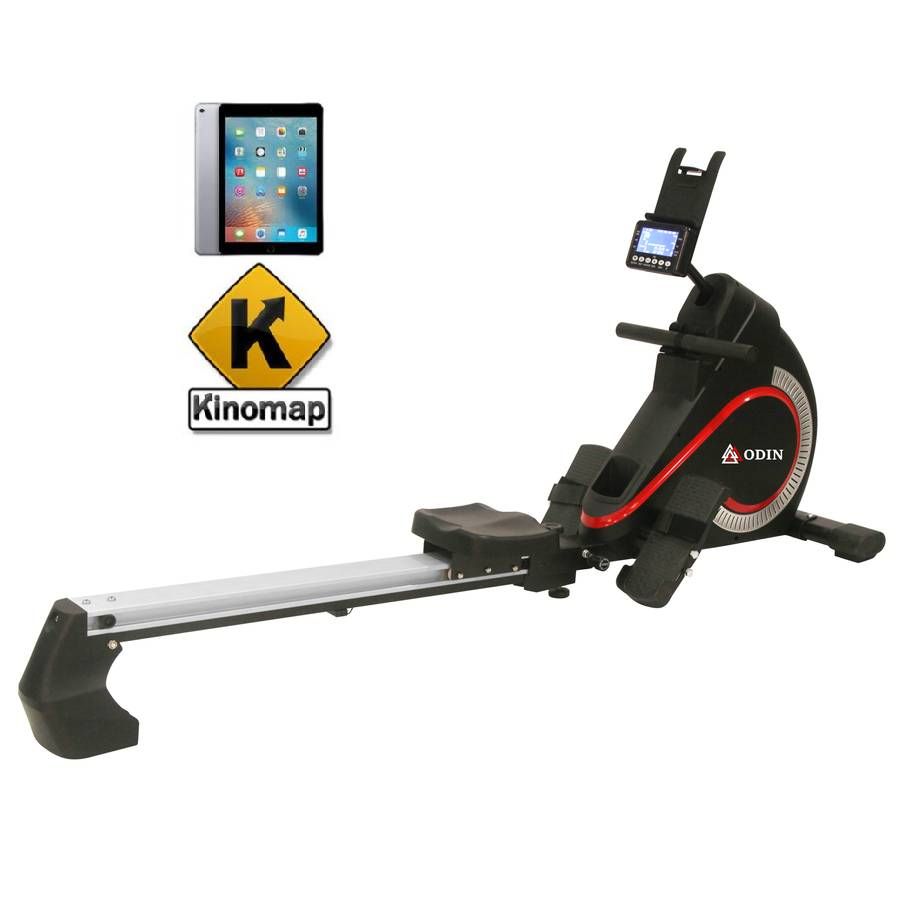
The Odin R700 is a foldable magnetic rower designed to make home rowing easy to follow. It offers electronically adjustable resistance, 32 resistance levels, a performance display and Bluetooth connectivity for compatible training apps.[1]
With QZ, the Odin R700 can become more than a standalone rower. It can become the centre of a connected training setup, giving you more ways to use your rowing data and more freedom to choose the apps that fit your goals.
What QZ can add to the Odin R700
QZ connects the rower experience to a wider training workflow. It can make the Odin R700’s live workout information available to compatible apps and virtual training environments, including:
- stroke count and stroke rate;
- pace and speed information;
- distance, elapsed time and calories;
- power and resistance data;
- heart-rate data when a compatible heart-rate sensor is available;
- a virtual rower output for supported training apps;
- workout recording and a more complete history of your sessions.
This means you are not limited to the information shown on the rower’s own display. You can use QZ as the connection between the equipment and the software you prefer.
Turn the R700 into a connected virtual rower
A virtual rower makes it easier to use a physical rowing machine with apps that expect a standard connected fitness device. QZ can present the Odin R700’s rowing data in a format that compatible apps can understand, creating a smoother path into virtual and interactive training.
Depending on the app and device setup, you can use the R700 with rowing and fitness platforms such as EXR, Zwift, Kinomap, MyWhoosh and other compatible applications. The exact experience depends on the app’s rowing support and on the QZ version you are using, but the principle is simple: the rower supplies the effort, while QZ helps the software understand it.
That opens the door to virtual routes, guided sessions, structured workouts and more engaging ways to train at home.
Make every session easier to understand
QZ can bring the important information from the R700 into one connected view. Instead of looking only at the console, you can follow the workout through the app you are using and keep your rowing data together with the rest of your training.
This is useful when you want to:
- compare today’s session with previous workouts;
- follow changes in pace, stroke rate and power;
- monitor distance and calories over time;
- add heart-rate information to the workout;
- train with a larger screen while keeping the rower nearby;
- use the same training workflow across different types of equipment.
A connected setup is especially useful for people who want more structure without replacing a reliable home rower.
Structured workouts and ERG-style training
QZ also supports structured training workflows, workout creation and target-based sessions. You can use those features to organise intervals, warm-ups, recovery periods and longer endurance workouts around the data coming from the Odin R700.
The rower remains the equipment you use, while QZ can help organise the session and share the workout data with the connected app. This makes it easier to move from an occasional row to a repeatable training plan.
The exact controls available during a workout depend on the rower profile, the QZ build and the selected app. Start with a short session, confirm that the live metrics are updating correctly and then build up to longer or more demanding workouts.
More than a single app
QZ is designed to work as a flexible bridge rather than locking your equipment to one training platform. Alongside virtual fitness apps, QZ can support broader training workflows such as:
- workout editing and custom training sessions;
- GPX, ZWO, XML and heart-rate-following workouts where supported;
- heart-rate tools and external sensor workflows;
- Strava, Garmin FIT, Apple Health, HealthKit and Google Health Connect exports where supported;
- MQTT, OSC, ANT+ retransmission and other integrations for advanced setups;
- voice and display options that help you keep your attention on the workout.
Not every function is available in every app or on every device, but QZ gives you a single place to explore the options instead of starting over with every new training platform.
How to get started
The setup is straightforward:
- Install a recent QZ build that includes the Odin R700 support.
- Turn on the rower and open QZ on your phone or tablet.
- Select the Odin R700 or the applicable i-Console rower profile.
- Confirm that stroke rate, pace, distance and power data are updating.
- Enable the virtual rower output when your chosen app needs it.
- Open the training app and select the QZ virtual rower.
- Begin with an easy workout and check the data before starting a longer session.
If you use a second screen, QZ can handle the equipment connection while the larger screen displays the virtual route or workout. This is a practical way to keep the R700 console and the training experience visible at the same time.
The key idea
The Odin R700 already provides a solid home rowing experience with magnetic resistance, multiple levels and a useful performance display. QZ can add the flexibility that many connected athletes are looking for: live data in more places, virtual-rower support, structured workouts and a clearer path between the rower and modern training apps.
You do not need to replace the R700 to make your indoor rowing more engaging. Use QZ to connect the equipment to the way you already train, test the apps that interest you and build a setup that can grow with your goals.
If something does not work as expected, send an email to Roberto.viola83@gmail.com and Roberto will help you check the setup.
Learn more about QZ at qzfitness.com.