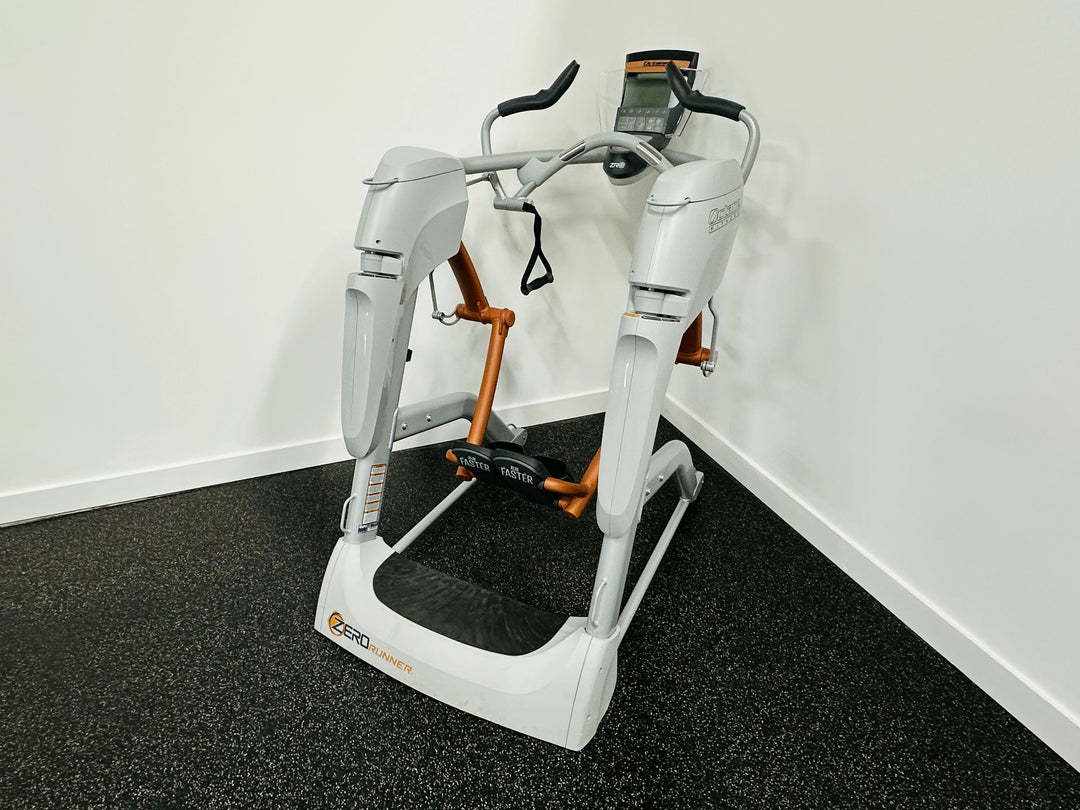
Keep your Octane Fitness ZR8 Zero Runner workout flowing into QZ and compatible training apps. QZ now validates the ZR8’s changing telemetry frames before reading pace and cadence, helping prevent an active workout from being mistaken for a pause.

Table of Contents
A smoother ZR8 session with QZ
The Zero Runner ZR8 sends pace and cadence updates through Bluetooth. Those values can arrive in frames of different lengths and in different field orders. QZ’s shared Octane treadmill driver now reassembles and validates each frame, so a cadence-first or pace-first update is handled correctly instead of being discarded as malformed data.
That means fewer interruptions in the QZ workout record while you are still moving, with pace and cadence kept current for the virtual training session. The same parser is used across QZ’s supported app architectures, so this improvement is not limited to one operating system or CPU family.
What QZ reads from the ZR8
| Workout information | How QZ handles it |
|---|---|
| Pace and speed | QZ reads the ZR8’s typed pace data and converts it into speed for the connected workout. |
| Cadence | QZ reads the ZR8’s built-in cadence data independently from pace, so either field can update first. |
| Session continuity | Checksum-validated frame handling filters corrupt or unrelated gait data and preserves deliberate stop/recovery behavior. |
| Heart rate | Pair a compatible Bluetooth, ANT+ or Apple Watch heart-rate source through QZ when you want heart rate in the session. |
| Physical controls | The ZR8 QZ path shares workout telemetry; it does not send speed or incline commands to the machine. |
Connect your Zero Runner
- Install a QZ build that includes the updated Octane ZR8 telemetry parser.
- Turn on the ZR8 and keep it close to the QZ device.
- Open QZ and allow Bluetooth access. QZ recognizes the treadmill’s ZR8 Bluetooth identity and starts reading its workout stream.
- Confirm pace and cadence are updating in QZ, then pair your compatible training app with QZ’s virtual treadmill output.
- For heart rate, pair the sensor separately in QZ. Close other fitness apps that may already hold the ZR8 Bluetooth connection.
The ZR8 parser fix is built into QZ’s common Octane treadmill driver, so the same data-handling improvement is available across supported QZ architectures, including Windows, macOS, Linux/Raspberry Pi, Android and iOS. App pairing and export options still vary by platform.
More ways to train with QZ
QZ can add connected-training tools around compatible equipment. App, platform, profile and device support vary; these are QZ ecosystem capabilities, not claims that every function is built into the ZR8.
- Personalized interface: multiple profiles, customizable tile order and visibility, and adjustable UI zoom.
- Peloton workflows: bike metrics, power zones, resistance conversion and supported automatic resistance; treadmill or elliptical speed/incline workflows depend on the selected device path.
- Heart rate: Bluetooth sensors, ANT+ and Apple Watch sources, custom heart-rate zones, and heart-rate/cadence-based power estimates where supported.
- Training apps: Zwift, MyWhoosh, Rouvy, Wahoo RGT and DirCon, Kinomap, iFIT, Echelon, VzFit and BitGym where the selected profile and platform support the connection.
- Workouts: standalone QZ sessions, video workouts, GPX route following with 2D/3D maps, ZWO and XML workouts, random programs and heart-rate-following plans.
- Health and exports: Apple Health/HealthKit, Google Health Connect, Garmin FIT/Garmin Connect workflows, Strava uploads and end-of-workout email reports, as supported by the platform and profile.
- Advanced connections: MQTT, OpenSoundControl (OSC), text-to-speech (TTS), ANT+ retransmission, Bluetooth remote resistance shifting and Zwift Play & Click where supported.
Take the ZR8 beyond its console
With QZ bridging the ZR8’s live workout data, you can use pace and cadence in supported virtual-training apps while keeping QZ’s session tools and export options available. Choose the app and workout format that suit your routine; the ZR8 remains the source of its own movement data, while QZ handles the connection and workout flow.
If something does not work as expected, send an email to Roberto.viola83@gmail.com and Roberto will help you check the setup.