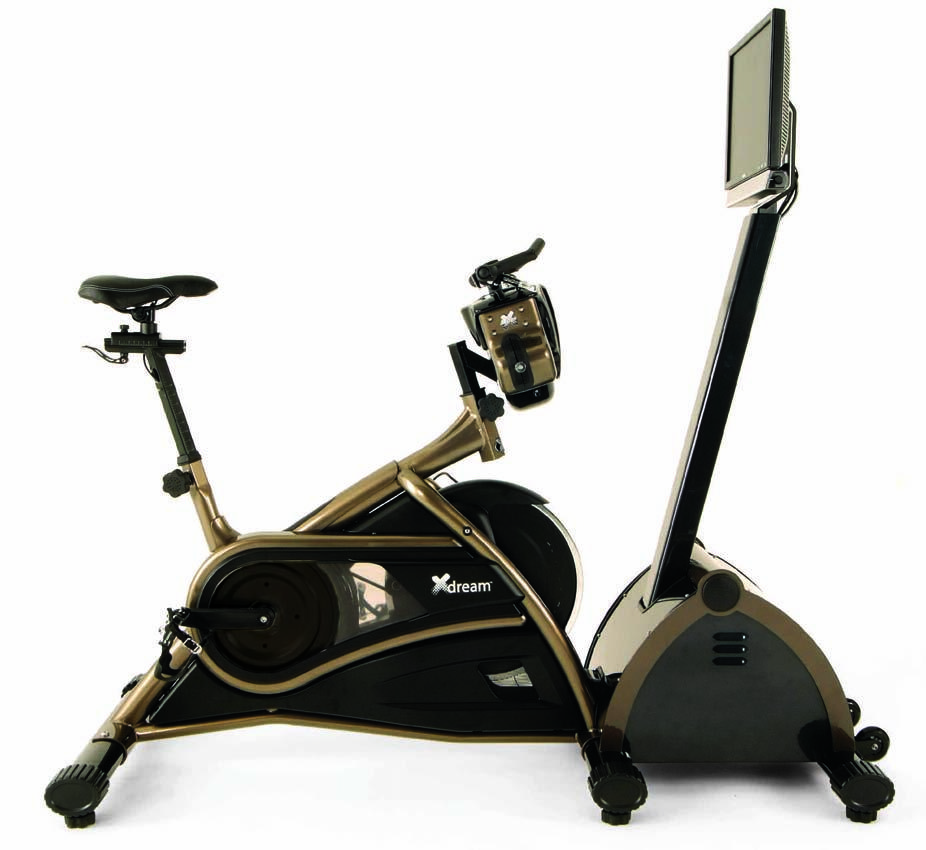
Bring the Trixter X-Dream into QZ-connected training with live ride data, steerable virtual rides and app-driven resistance control. QZ reads the bike through its serial connection and can share the workout with compatible training apps.

Table of Contents
Connect the X-Dream to QZ
The X-Dream uses a serial connection rather than a direct iPhone pairing. Run QZ on a Windows or Linux computer with access to the bike’s serial interface, then enable Trixter X-Dream in QZ’s Bike Options. The device-specific serial workflow is not compatible with iOS.
Once enabled, QZ scans for the X-Dream data stream and builds a live session from the bike’s signals. Keep QZ connected to the bike while your compatible training app connects to QZ’s virtual-device output.
Live ride data and steering
- Speed and cadence: live cycling metrics from the X-Dream stream, with QZ calculating virtual ride speed from the bike’s cadence and drivetrain settings.
- Heart rate: use the bike’s heart-rate signal when enabled, or choose a supported external Bluetooth, ANT+ or Apple Watch source through QZ.
- Steering: enable or disable the bike’s steering input and calibrate its left, center and right values so handlebar movement maps naturally into supported virtual rides.
- Power: QZ estimates power from cadence and the resistance model; it is a calculated training value, not a claim of measurement by a separate power meter.
Resistance that follows the ride
QZ can send resistance commands back to the X-Dream. When a compatible app or workout requests a change in effort or terrain, QZ translates that target through the bike’s resistance model and updates the physical resistance. The same control path can support structured/ERG-style sessions where the selected app and workout profile expose a compatible target.
Getting started
- Install a QZ build that includes Trixter X-Dream support on a Windows or Linux host.
- Connect the bike’s serial interface to that computer and allow QZ access to the serial port.
- In QZ, open Bike Options and enable Trixter X-Dream; enable heart rate and steering as desired.
- Calibrate steering in the X-Dream options, then verify speed and cadence in QZ before opening the target app.
- Pair the training app with QZ’s virtual bike/device output. Start with a modest resistance target and confirm the bike responds before beginning a full workout.
Platform note: the direct X-Dream connection is available on Windows and Linux, not iOS. QZ’s broader app and integration support varies by platform and by the selected connection path.
The wider QZ training toolkit
QZ adds a broad set of connected-training tools around compatible equipment. Availability depends on the selected device profile, operating system, permissions and the target app; these ecosystem features are not claims that the X-Dream natively provides every service.
- Personalized interface: multiple profiles, customizable tile order and visibility, and adjustable UI zoom.
- Peloton workflows: bike metrics, power zones, resistance conversion and supported auto-resistance workflows; treadmill and elliptical auto-speed/incline paths depend on the selected equipment profile.
- Heart rate: Bluetooth and ANT+ sensors, Apple Watch sources, custom heart-rate zones, and estimated wattage workflows from heart rate and cadence where supported.
- Training apps and bridges: Zwift, MyWhoosh, Rouvy, Wahoo RGT/DirCon, Kinomap, iFIT, Echelon, VzFit and BitGym where the selected profile and platform support the workflow.
- Workouts: standalone QZ sessions, structured/ERG workouts when supported, video workouts, GPX routes with 2D/3D maps, ZWO and XML files, random workouts and heart-rate-following programs.
- Health and activity exports: Apple Health/HealthKit, Google Health Connect, Garmin FIT/Garmin Connect workflows, Strava upload and end-of-workout email reports, subject to platform and profile support.
- Advanced integrations: MQTT, OpenSoundControl (OSC), text-to-speech (TTS), ANT+ retransmission, Bluetooth remote resistance shifting and Zwift Play & Click where supported.
Ride with your favorite training workflow
Use QZ as the bridge between the X-Dream and compatible virtual-training apps, or keep the session in QZ with live tiles, workout recording and structured programs. Depending on the selected device path and platform, QZ also supports app bridges, video and GPX routes, ZWO/XML workouts, health and activity exports, and advanced integrations.
If something does not work as expected, send an email to Roberto.viola83@gmail.com and Roberto will help you check the setup.