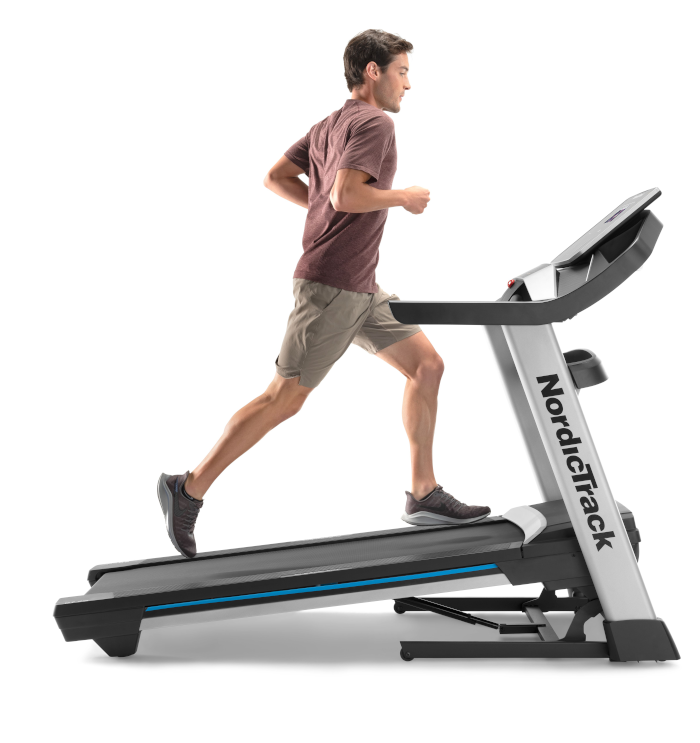
This guide covers the NordicTrack EXP 7i treadmill, referred to here with “J1002” as the identifier supplied for this request. The public owner’s manual identifies the documented European model as NTL10421-INT.2. It is a protocol/setup guide, not a report of a completed user test on this exact machine.

Table of Contents
What the EXP 7i is
NordicTrack’s official material describes the EXP 7i as a folding treadmill with a 7-inch touchscreen, speed and incline controls, and iFIT compatibility. The owner’s manual confirms the EXP 7i name and the NTL10421-INT.2 model marking. Those are manufacturer details; they should not be confused with a QZ field-test confirmation.
The QZ FitPro route
For an EXP 7i console where the direct USB path is the right choice, use the current QZ FitPro treadmill build. QZ documents the FitPro USB method as a direct USB-HID connection to the exercise hardware. The iFIT application must be completely stopped or disabled while this build is running, because iFIT can retain control of the USB device.
| Area | Guide scope |
|---|---|
| QZ package | Use the current treadmill FitPro build from the QZ release page; the documentation names the treadmill package android-debug-fitpro-treadmill.apk, while current nightly releases may show the corresponding fitpro-treadmill-android-trial asset. |
| Connection | QZ communicates directly with the console hardware over USB-HID; QZ Companion is not part of this current path. |
| iFIT state | Close or disable iFIT completely before starting FitPro QZ. |
| Downstream apps | After QZ is reporting the treadmill, pair compatible apps with QZ’s virtual treadmill rather than competing for the physical console. |
| Device-specific status | No email from 29 September 2026 confirmed an EXP 7i/J1002 test, so speed, incline, metrics and app behavior remain setup items to verify on the individual console. |
Installation and setup
- Enter the console’s Android/privileged environment and download the current FitPro treadmill build from QZ Releases.
- Install QZ on the treadmill console, using Android’s “Allow from this source” permission if the browser or file manager requests it.
- Stop or disable iFIT completely. Do not run the FitPro USB path and an active iFIT session at the same time.
- Start the FitPro version of QZ and grant USB permission when Android presents the treadmill HID device.
- Confirm that QZ connects and that the live treadmill tiles update before opening Zwift or another training app.
- Expose QZ’s virtual treadmill, then connect the downstream app to that virtual device. Begin with a short, low-speed test and verify speed, incline and workout recording independently.
When to use the gRPC build instead
Some newer NordicTrack consoles use the iFIT 3D interface. QZ provides a separate gRPC treadmill build for that case; it requires iFIT to remain installed, signed in and running. Do not use the gRPC and FitPro methods together. If the EXP 7i console does not have the newer 3D interface, the QZ documentation directs owners toward the FitPro USB path instead.
What QZ can add after the connection
QZ is the bridge layer between supported equipment and compatible training applications. Its documented treadmill workflows include virtual treadmill output, Zwift connectivity, auto-inclination and speed features for compatible app/device paths, workout recording, FIT export to Garmin Connect, Apple Health/HealthKit, Google Health Connect, Strava, MQTT and Open Sound Control. These are QZ capabilities around the bridge; this article does not claim that every one has been tested on this EXP 7i/J1002 unit.
Subscription boundary
Using QZ does not remove paid plans or content from iFIT, Zwift, ROUVY, Garmin, Strava or any other third-party service. The FitPro setup is a connection method for the treadmill console, not a promise of free access to another provider’s content.
Practical checklist
- Identify the console’s exact model marking before installation; keep “J1002” as a local identifier unless the machine documentation confirms it.
- Choose FitPro USB for direct hardware access and keep iFIT stopped.
- Choose gRPC only when the console uses the newer iFIT 3D interface and iFIT can remain active.
- Pair downstream apps with QZ’s virtual treadmill, not with the physical console at the same time.
- Test the actual speed, incline, metrics and app workflow on the individual treadmill before relying on them for a workout.
If something does not work as expected, send an email to Roberto.viola83@gmail.com and Roberto will help you check the setup.