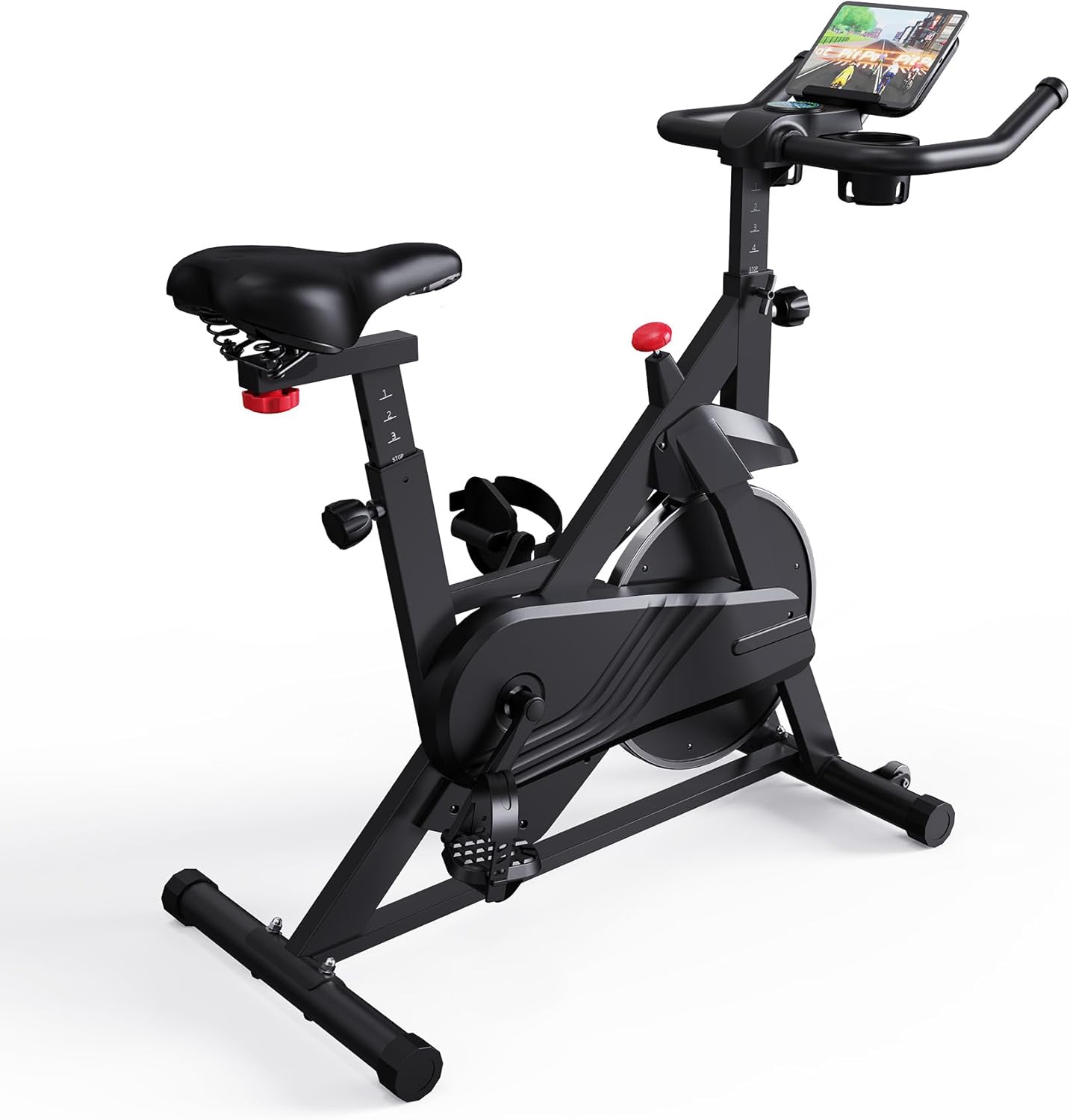
The PitPat / Superun S1-Pro bike—also referred to as S01PRO in some compatibility requests—has a dedicated PitPat bike path in QZ. The profile is designed for riders who want the bike’s workout data, resistance workflow and power information available beyond the manufacturer app.

Table of Contents
One bike, two names in the ecosystem
The product page identifies this machine as the Superun S1-Pro Indoor Cycling Bike, while PitPat is the connected fitness ecosystem associated with the bike. “S01PRO” is retained here as a model alias so owners can find the article using the wording shown in a support request or listing.
Superun lists 32 magnetic resistance settings, Bluetooth/PitPat connectivity and a maximum user capacity of 300 lb. An independent S1-Pro review also describes Bluetooth connectivity, the PitPat app, an LCD workout display and a compact upright-bike format. These are product-level specifications; QZ’s exact live values depend on the data packet supplied by the connected unit.
What the QZ PitPat bike profile handles
| Area | QZ workflow |
|---|---|
| Bluetooth connection | QZ routes device names beginning with the PitPat bike prefix to the dedicated PitPat bike driver and its service/characteristic path. |
| Live metrics | The driver parses cadence and power, derives speed when configured, accumulates distance and calories, and exposes the workout through the normal QZ bike metrics. |
| Resistance | QZ includes a PitPat resistance command path, with the requested value bounded to the driver’s supported range before it is sent. |
| Virtual bike | When virtual-device output is enabled, QZ can expose a virtual bike so another app can receive the ride while QZ remains connected to the physical machine. |
Zwift and connected training apps
The practical setup is to let QZ own the Bluetooth connection to the S1-Pro, then connect the training application to the QZ virtual bike or compatible output. This keeps the physical bike connection in one place and allows compatible services such as Zwift, MyWhoosh, ROUVY, Kinomap, BKOOL and other supported apps to use the workout data.
The QZ driver supports resistance requests for the PitPat bike path. That makes resistance-aware workflows possible where the downstream application sends a compatible target through QZ. The public driver evidence confirms the command path; it does not constitute a separate hardware test of every S1-Pro/S01PRO retail revision.
Power, cadence and workout recording
QZ’s PitPat bike driver reads cadence and power-related values from the bike packet, uses those values for the QZ bike model, and can calculate a speed value from cadence or power according to the configured setting. QZ can record the session, show configurable tiles and produce workout exports around the connected ride.
Garmin Connect, Apple Health, Google Health and Strava
After QZ is recording the ride, the surrounding integration layer can send the finished workout to Garmin Connect through FIT upload, use Apple Health/HealthKit, use Google Health Connect on Android and upload completed activities to Strava when those integrations are configured. These are QZ bridge and export features, not claims that the S1-Pro console natively implements each service.
More QZ features around the S1-Pro
- Heart-rate sources such as Bluetooth sensors, Apple Watch or ANT+ devices where configured.
- Profiles, configurable tiles and dashboard customization for different riders or bikes.
- Workout programs and recording tools, including structured exports supported by QZ.
- MQTT and Open Sound Control for automation, monitoring and home-lab workflows.
- Text-to-speech feedback and email workout reports where enabled.
Subscription boundary
QZ is a separate bridge and recording layer. It does not remove paid plans or content offered by Zwift, ROUVY, Kinomap, Garmin, Strava, PitPat or another provider. The article describes the QZ connection path and does not imply that every downstream feature is included in the bike’s own console.
Setup checklist
- Close PitPat and other cycling apps before starting the QZ connection.
- Open QZ and allow Bluetooth discovery.
- Select the PitPat / Superun S1-Pro bike when the matching PitPat device name appears.
- Confirm that cadence, power, speed and resistance tiles update during a short ride.
- Enable QZ virtual-bike output, then connect Zwift or another compatible app to QZ.
- Run a short recording before enabling Garmin Connect, Apple Health, Google Health Connect or Strava exports.
The result is a flexible indoor-cycling workflow: the Superun S1-Pro supplies the ride, QZ manages the PitPat bike connection and resistance path, and the selected training or health service receives the workout through QZ.
If something does not work as expected, send an email to Roberto.viola83@gmail.com and Roberto will help you check the setup.
Sources
- superun-exercise-bike-stationary-bikes-for-home-gym-with-32-level-magnetic-resistance-300lbs-capacity-indoor-cycling-bike-with-comfortable-seat-led-display
- https://www.tenacityfit.com/superun-s1-pro-exercise-bike-review/
- pitpatbike.cpp
- bluetooth.cpp
- README.md
- integrations.md
- virtualbike.cpp
- WorkoutTracking.swift
- HealthConnectHelper.kt
- mqtt.cpp
- osc.cpp